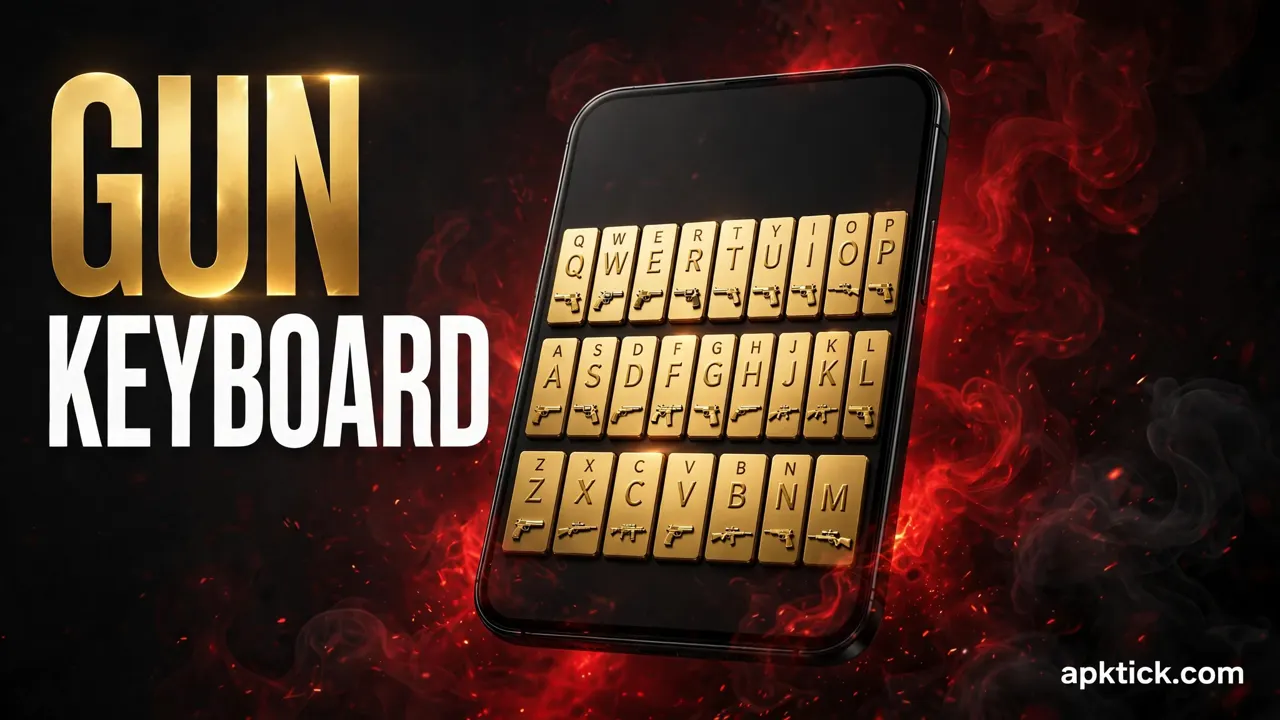
Last night I was sitting in a WhatsApp group with my gaming friends, and one of them shared a screenshot of a funny moment from his match. The funny thing is, nobody in the group even looked at the joke. Every single reply was about his keyboard. Each key on it was shining gold, and there were small guns printed on the keys, like the keyboard had come straight out of a game.
He told us the whole setup took him two minutes and it cost him nothing. I am the kind of person who has to test such things myself, so I installed it on my own phone the same night. In this guide I will show you the same steps, in the same order. If you follow them properly, your plain grey keyboard will turn golden in about two minutes, and yes, it works on almost any Android phone.
I test new apps on this phone almost every week. A few days ago I tested a lock screen app that hides a secret number inside your own photo, and you can download it from that guide if you want to try it later. This week the keyboard got its turn, because honestly, the keyboard is the one thing we stare at all day and never think about changing.
What This App Actually Is
The app is called Golden Gun Keyboard Theme and it is free on the Play Store. It helps to understand one small thing before you install it. This is not just a picture that sits on top of your old keyboard. It is a theme that comes with its own full keyboard, so when you install it, you get a working keyboard and the golden gun skin together in one package.
On the Play Store the app holds a rating of about 4.8 stars. Now here is the honest part, and I always share the real numbers with you. That rating comes from only 471 ratings, which means this is a small app, not a big famous name. A small rating count does not make an app bad, and this theme honestly looks better than many big ones. But you should know the true size of what you are installing, so there are no surprises later.
What You Need Before You Start
The good news is that you need almost nothing. Just check these three things and you are ready.
- An Android phone. The keyboard works on almost all Android phones, including Samsung, Xiaomi, Oppo, Vivo, Infinix and Tecno.
- Your Google account signed in to the Play Store, so the install goes through in one tap.
- An internet connection for the first setup, because the theme loads online the first time you open it.
That is the full list. There is no payment, no root and no hidden setting to unlock. Everything happens from inside the app itself, which is why the whole thing finishes so fast.
How to Put the Golden Gun Keyboard on Your Phone
Follow these steps in this exact order. Most problems people face with keyboard themes come from skipping one step in the middle, so take them one by one.
- Open the Play Store page of Golden Gun Keyboard Theme. You can use the download button at the end of this article so you land on the correct app.
- Install the app and open it. On the main screen you will see the golden theme with an APPLY button. Tap APPLY, or simply tap the preview picture of the theme.
- The app will now take you to your phone settings and ask you to switch this keyboard on. Allow it, and then select it as your current keyboard. This is the step most people forget, and then they sit there wondering why nothing changed.
- Go back to the app and tap Finish. Now open any app where you can type, like WhatsApp or Messenger, and your shiny golden keyboard will appear in front of you.
The first time it opens, give it a few seconds to load fully. After that first load, it opens at normal speed like any other keyboard, and the golden keys with the small guns on them will be there every time you type.
It Is Not Only a Golden Skin
What surprised me during this test is that the keyboard under the golden skin is a proper working keyboard with its own useful features. It is not just a pretty face.
- There are more than 3000 colourful themes inside the same app, and new ones keep arriving many times a week. If you ever get bored of gold, you can change the whole look in seconds without installing anything new.
- You can also design your own theme. Pick your own photo, set it as the keyboard background, and choose the key colours and layout the way you like.
- It supports more than 150 languages. For people on our side of the world, this is the best part, because you can type in Urdu and Hindi on the same golden keyboard instead of switching apps.
- There is a clipboard for fast copy and paste, which saves real time when you send the same address or account details again and again.
- Emojis, GIFs, stickers and text faces are all built in, ready for your daily chats.
- Word prediction and auto correct are part of the package, so your typing stays fast and your spelling mistakes get fixed quietly while you type.
The One Permission Every Keyboard Asks For
There is one moment in the setup where Android shows you a serious looking warning. It tells you that a keyboard can see everything you type. Many people get scared at this screen and close the app, so let me explain it in simple words.
That warning is standard for every keyboard on Android, including the one already on your phone. A keyboard can only work if it reads the letters you press, so the system warns you as a routine safety step. The sensible way to stay safe is simple. Only install keyboard apps from the Play Store, and never from random websites or forwarded files. The developer of this app clearly says they never collect your personal information or the photos you set as wallpapers, and that typed words are only used to make predictions better. And remember, nothing here is permanent. If you ever change your mind, you can switch back to your old keyboard from settings in ten seconds.
Small Mistakes That Stop It From Working
If your keyboard does not turn golden, it is almost always one of these four mistakes. I have seen every one of them happen.
- Installing and waiting. If you install the app but never switch the keyboard on in settings, and never select it as your current keyboard, your old keyboard will keep opening. The theme is ready, but your phone is still listening to the old keyboard.
- Downloading a copycat app. There are many apps with similar names and golden icons. Read the name carefully and use the link at the end of this article, so you reach the right one the first time.
- Expecting the theme to stay without the keyboard. The golden look belongs to this keyboard app. If you remove the keyboard later, the golden keys will go away with it.
- Judging it in ten seconds. The keys feel a little different from a flat keyboard in the beginning. Type in two or three chats for a day, and then decide if it suits you.
Honest Points Before You Decide
Let me keep this part completely straight with you. This app changes the look of your keyboard and adds some handy typing tools. It does not make your phone faster, and it does not change anything outside the keyboard. Anyone who promises you more than that is not being honest.
Since the app is free, you may see some ads inside the app screens, because that is how most free theme apps pay their bills. The keyboard itself worked smoothly in my testing, with no lag while typing. Just keep the small rating count in mind and set your expectations at the right level, and you will enjoy it for what it is.
If you enjoy small apps that quietly change how your phone feels, you may also like the fingerprint app lock I tested earlier, which locked my WhatsApp with a fingerprint. You can download it from that guide and try it on your own phone.
Your Keyboard Does Not Have to Stay Boring
Think about it for a second. We change our wallpapers, our ringtones and even our phone covers, but the keyboard stays the same grey block for years, even though it is the thing our fingers touch the most. Two minutes with this app and that one daily thing finally matches your style, especially if you love the golden gun look from your favourite games.
Use the button below to open the official Play Store page, follow the four steps above in order, and your first golden message is only a few taps away.